
Summary
- The data moves easily, the rethink is the work - Typeform holds a form and its responses. Tallyfy takes that submission and runs a whole process off it. The real effort is sorting which Typeforms genuinely kick off work, not copying fields from one place to another.
- Two export paths, both clean - responses come out as a CSV from the Results tab, and the Responses API hands you submissions as JSON. The form definition itself is managed through the Create API, so the structure is reachable too.
- Keep Typeform for the surveys it was built for - its one-question-at-a-time, branded survey experience is genuinely good. Move the forms that should trigger internal work; leave the public-facing surveys where they are.
- Budget about a week for the first form - export, map the questions, rebuild the logic, test one live submission. Book a 30-minute migration walkthrough and we’ll point you at the forms actually worth moving.
You’ve decided some of your Typeforms are doing a job Typeform was never meant to do, and now you want to know what moving them looks like. The short answer: the data part is basically the easy bit, and the real work is changing what the form is for. A Typeform collects an answer and stops. A Tallyfy form collects an answer and starts a process. That single difference shapes the whole move, and it’s the same question sitting under most decisions about weighing up workflow tools.
So before you export anything, sort your Typeforms into two piles. One pile is public surveys, NPS checks, feedback forms, the brand-facing stuff that ends when the response lands. The other pile is intake: job applications, client requests, vendor sign-ups, anything where a human then has to do something. Only that second pile has any business in Tallyfy. Nail the sort and everything after it is mechanical.
Why teams move off Typeform
Typeform is a lovely tool, and I’ll say that without hedging, because a migration guide that trashes the thing you’re leaving helps nobody. It makes the best-looking forms on the web. The conversational, one-question-at-a-time flow gets higher completion rates than a wall of fields, and for a customer survey that matters a lot.
The friction is narrow and specific. It shows up when the form is the front door to actual work. Someone fills out a job application, the response drops into a results table, and then what? A person has to notice it, copy the details somewhere, ping the hiring manager, and chase the next step by hand. That handoff is clunky, and Typeform did its job perfectly before handing you a dead end.
The second reason is cost shape. Typeform meters on responses, so a form that succeeds, that lots of people fill in, is the one that pushes you toward the next pricing tier. When the form is a survey, paying per response is fair. When the form is intake for a process you run every week, you’re paying for volume on something that should just be the trigger for work. Turns out, that mismatch is usually what starts the search.
What Typeform’s export actually gives you
Look at what comes out first, because that sets the plan. Typeform gives you responses two ways. From the Results tab you can download responses as a CSV once a form has collected data, and the same area lets you push existing responses into a connected spreadsheet. For anything programmatic, the Responses API returns your submissions as JSON without you setting up webhooks first. The CSV gives you the flat view, one row per response, which is fine for a quick audit. The API JSON keeps the structure, which question mapped to which answer, which is what you want when you’re rebuilding the form rather than just reading it.
The form structure is reachable too. Typeform’s Create API lets you read and build form definitions outside the visual builder, so the questions, their order, and the logic are inspectable rather than locked in a screenshot. That matters for the audit far more than for the rebuild.
Form Intake Made Easy
Here’s what you won’t carry across: the look and the feel. The conversational pacing, the theme, the fonts, the way each question slides in one at a time. None of that exports, because none of that is data. It’s the experience layer, and it stays in Typeform. What you’re pulling out is the skeleton: which questions you ask, in what order, with what branching. That skeleton is all you need to rebuild the form as the opening step of a process.
How Typeform concepts map to Tallyfy
People tense up before this part, and it lands easier than they fear, because the shapes line up cleanly once you stop treating the form as the whole thing.
| In Typeform | In Tallyfy | What actually changes |
|---|---|---|
| Form | Blueprint | The form becomes a repeatable process |
| Question | Kick-off form field | Captured up front when the process starts |
| Logic Jump | Rule (IF-THEN) | Rebuilt as a conditional, not imported |
| Hidden field | Prefilled field | Carries context in from the start |
| Calculation / score | Static or manual field | Scoring logic is re-expressed, not moved |
| Response | Process (a run) | Each submission is one live instance |
| Thank-you screen | Completion step | The end of the form becomes the end of step 1 |
The mental shift is that a Typeform is one screen and a Tallyfy process is the work that follows it. Those questions turn into the kick-off form that starts it. Your Logic Jumps become rules, so if you want to rebuild the branching as rules, an answer of “enterprise” routes the run one way and “small business” another. The response stops being a row in a table and becomes a tracked run that someone owns. If you leaned on hidden fields to pass in context, a source campaign, a customer ID, an account tier, those become prefilled fields that travel with the run from step one, so the process always knows where each submission came from.

Take a job-application form as the example, since hiring is where this clicks for most teams. In Typeform, an applicant answers ten questions and you get a pretty response. Lovely, and then it sits there.
In Tallyfy, those same ten questions are the kick-off form for a hiring blueprint. The moment someone applies, a run starts: screen the resume, book the call, collect the scorecard, make the decision. A Logic Jump that asked a different question for senior roles becomes a rule that adds an extra interview step. Same questions, but now the form opens a process instead of filling a spreadsheet. This is the process-first idea at the heart of it: the form was never the point, the work the form triggers is.
The size of the form sets the rebuild. A short form, say under twenty fields with no branching, becomes a single kick-off and a couple of follow-on steps. A long, heavily-branched form becomes a multi-step process where the phases mirror the sections you already had.
A realistic migration timeline
A single form is a week, and most of that week is thinking, not typing. Anyone selling you a same-afternoon switch is skipping the part that matters.
Day one is export and sort. Pull your forms out, drop the pure surveys, and keep the intake forms that should trigger work. Day two, take your busiest intake form and map its questions to kick-off fields, one for one. Day three, rebuild the Logic Jumps as rules and add the steps that come after submission, the steps that used to live in someone’s head or inbox.
Then test with one real submission, end to end, and watch where it sticks. By the second form you’ve found the rhythm, and each one after that goes quicker. Resist the urge to move every form at once. Move the one that hurts most, prove it, then bring the rest across over the following weeks.
Why stretch it over a week?
Because you’re not copying the Typeform, you’re upgrading it from a question sheet into a process, and that upgrade is the whole reason to move.
What breaks, and what Tallyfy won’t replace
Here’s what genuinely gets lost, because every move hits a few of these. Themes and branding don’t transfer, so you rebuild the visual side from scratch (usually no loss, since an internal process doesn’t need a public skin). Calculation and scoring fields go static or become a manual step rather than live math. And Logic Jumps need rebuilding by hand as rules, which is quick but real.
Now the honest trade nobody mentions. There’s one thing Typeform does that Tallyfy does not, and it’s the thing Typeform is best at: the conversational, designed, one-question-at-a-time survey experience. Tallyfy’s kick-off form is a clean, functional form. It is not a polished public survey, and it isn’t trying to be. So if a form’s whole value is how it feels to a customer filling it out, a slick NPS survey, a branded feedback form, a public quiz, keep that in Typeform. Bring across the forms whose worth is what happens after the submit. Lots of teams keep both on purpose: Typeform out front for the surveys, Tallyfy behind it running the processes those forms set off.
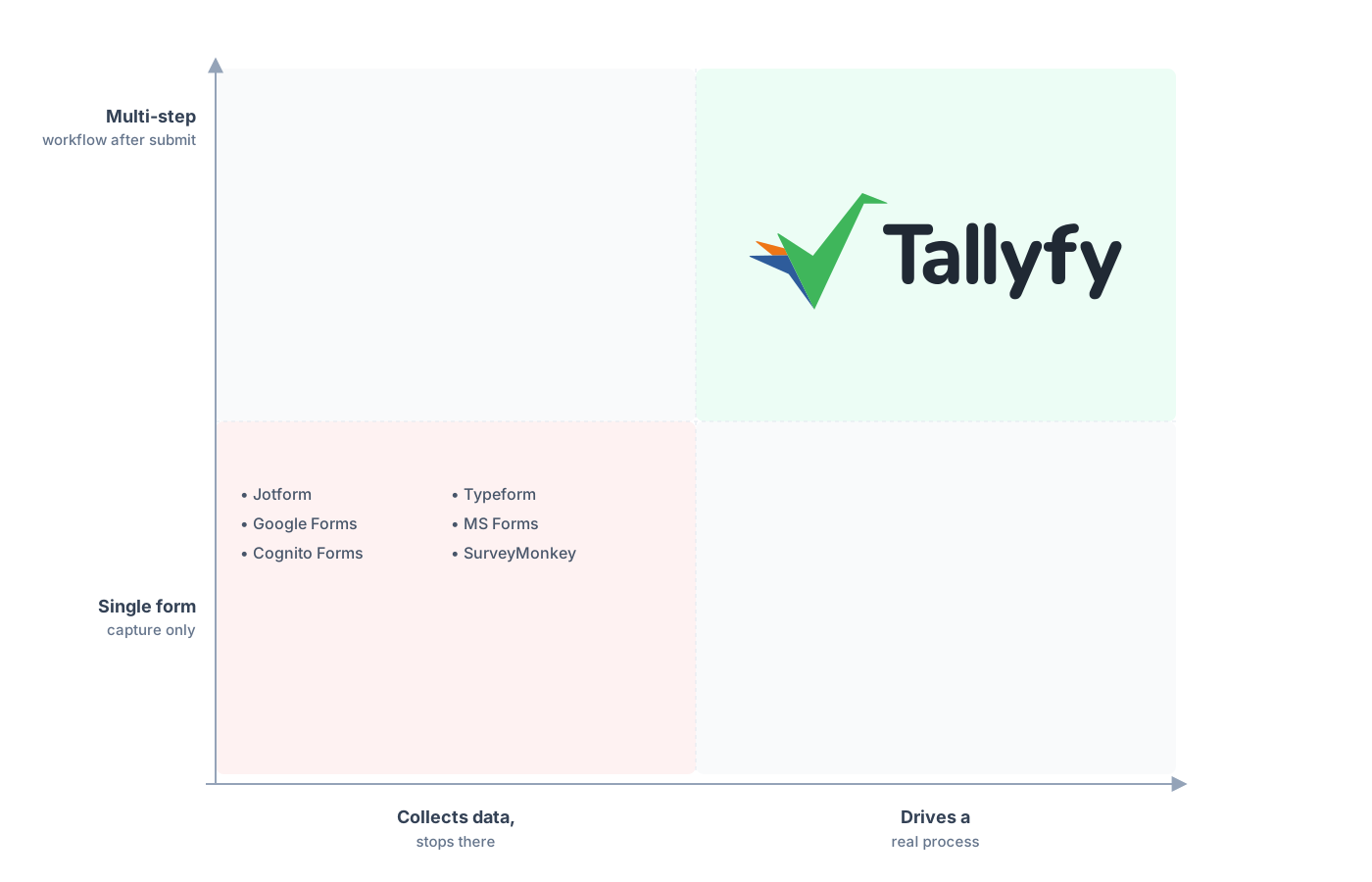
A multi-step workflow that runs after submit, not a form that ends at it.
A question that comes up almost every time someone leaves a form tool is whether they’ll lose visibility. With Typeform you had a results table, a flat list of who answered what, plus whatever you had to cobble together around it to chase the work. Run those same submissions as Tallyfy processes and you can see which are mid-flight, which are stuck, and on which step, all in one place. You trade a static list of answers for a live view of work in motion, and for intake forms that’s the upgrade you actually wanted.
Common questions about migrating from Typeform
How long does it take to move a form from Typeform to Tallyfy?
Can I export my Typeform responses and form structure?
What happens to my Logic Jumps?
Should I move my customer surveys to Tallyfy too?
How does the pricing compare?
Not sold yet, still weighing the two? Our Typeform alternative comparison makes the side-by-side case, and what you’re reading here is the moving-day playbook for doing it. There’s a close cousin to this move too: if you’re coming from a spreadsheet-style tool, leaving Airtable runs into the same form-becomes-process question.
Ready to map it out properly? Grab a quick call and we’ll go through your busiest intake form, then say honestly whether it belongs in Tallyfy or should stay a Typeform.
Book a 30-minute migration walkthrough and bring the form that buries your team in the most manual chasing. That’ll tell you fast whether this is a fit.