
Summary
- The first question isn’t how to export, it’s whether each base is a workflow or a dataset - Airtable is a relational database with views, so some bases are genuine datasets and some are intake-to-approval workflows wearing a grid. Only the workflow bases belong in a process tool. The relational ones should stay put.
- Airtable’s export is per-view, and the relationships don’t survive it - you download a grid view to CSV, but a CSV is flat, so linked records collapse to text or record IDs, rollups and lookups go static, and attachments come across as links that expire within hours. The complete path is the Airtable Web API.
- The concept map turns a base into the right object - a workflow base becomes a Tallyfy blueprint, a record that’s a case becomes its own running process, a field becomes a form field, an Airtable Form becomes a kick-off form, and a status field becomes a real step or an approval.
- Give this a few weeks, not a weekend - separate the workflow bases from the datasets, rebuild your top three, parallel-run, then switch. Book a 30-minute migration walkthrough and we’ll give you a straight answer on whether it fits.
When a team decides to leave Airtable, the instinct is to start exporting. Hold off for a day. Two unlike kinds of work sit side by side in Airtable, indistinguishable in a grid view, and only one of them belongs in a workflow tool.
The distinction worth getting right is this. A base where records flow through intake, review, and approval, and the whole thing repeats, is a workflow, and it maps onto Tallyfy cleanly. A base of products, customers, or inventory, with tables linked to each other so you can look things up, is a relational dataset, and it should stay relational. Most Airtable migrations stumble because someone tries to drag the datasets along too. Separating the workflow bases from the database bases is the actual first task, and that judgment call sits under almost every move to dedicated workflow software.
Why teams move off Airtable
Airtable is a genuinely clever tool, and that’s worth stating outright, because a migration guide that sneers at what you’re leaving is useless to you. Airtable gives you a real relational database with a friendly face: tables that link to each other, multiple views over the same records, forms, automations, and Interfaces you can build without code. For data that has actual relationships, that model is powerful, and it’s why teams reach for Airtable in the first place.
The friction has a precise trigger. It starts the moment a base is handed a process to enforce rather than just data to hold.
Two things send teams looking elsewhere, and both trace back to that mismatch. The first is that a database records state without ever advancing it. A record can sit in “In review” indefinitely in a messy limbo, the next step can be skipped, and the base won’t object, because nothing in a table insists the work actually moves. The grid is happy to hold a half-finished request forever.
The second is the per-seat and per-record math. As a base grows into the thing that runs a team’s intake, everyone who edits it needs a paid seat and every request eats into record limits, so the tool that started cheap and flexible becomes the painful one everyone quietly works around in spreadsheets. When work has to run the same way every time, that drift is the base telling you it outgrew what a database was built for.
What Airtable’s export actually gives you
The export itself is straightforward; its limits are what shape the plan. Airtable lets you export a grid view to CSV by clicking the dropdown next to the view name and choosing Download CSV, on the web and desktop apps. So the rows of any table are straightforward to get out.
Read the limits closely, because that’s where a migration gets real. A CSV is flat, and Airtable’s whole value is that it isn’t. Linked records, the relationships that connect one table to another, flatten to text or record IDs on export, so the wiring is gone. Rollups, lookups, and formula fields export as their last computed value rather than the logic behind them. Attachments come across as a filename and a URL, and those URLs expire after a few hours, so a download has to happen right away.
Airtable also notes that the CSV leaves out record-level comments, field descriptions, and anything stored only in an extension. You keep the cells. You don’t keep the relationships or the conversation.
For a complete, structured pull, you drop down to the Airtable Web API, which connects your Airtable data to any external system and reads records and fields programmatically. One thing to plan for: authentication now uses a personal access token or OAuth, because the old API keys were retired in February 2024. Most teams never script against it, though. You export the bases you’ve decided are real workflows, keep the old Airtable account read-only as your archive, and rebuild those processes fresh.
Work Intake Made Easy
How Airtable concepts map to Tallyfy
Here’s the bit that tends to cause anxiety, and the catch is that a single Airtable concept, the record, lands on two different Tallyfy objects depending on what the record really is. Sort that out and everything downstream falls into place.
| In Airtable | In Tallyfy | What actually changes |
|---|---|---|
| Workspace | Organization / category | Becomes organizing metadata |
| Base used as a workflow | Blueprint | Your reusable process definition |
| Record that is a case | Process (run) | A record becomes its own running process |
| Field (column) | Form field (capture) | Captures data at the right step |
| Single-select status | Step status or approval | A status field becomes a step or a sign-off |
| Airtable Form | Kick-off form | Intake moves to the start of the process |
| Linked record | Read-only reference | The relationship is documented, not live |
| Rollup / lookup / formula | Read-only value | The calculation is recorded, not executed |
| Automation | Rule (IF-THEN) | Rebuilt by hand, not imported |
| Relational table | Stays in Airtable | Genuine relational data isn’t a process |
The reorientation is from a relational grid to a sequential flow. In Airtable you connect records across tables and read them through whichever view suits you. In Tallyfy you set the process up once, and each run travels through it in order. The data comes across intact. The relationships between tables, and the freedom to slice the same records ten different ways, do not, and for a repeatable process that trade is worth it, because a single defined flow is what makes the work finish.

Picture a vendor-intake base. A procurement team often runs this in Airtable: each record is a vendor request, with fields for the category, a single-select status moving from Requested to In review to Approved, the requester, an Airtable Form that creates the record, a linked record to a contracts table, and an automation that emails someone when the status flips. It looks like an approval workflow, but it’s basically a relational table with a form on the front and status changes done by hand. Rebuild it properly and each request turns into its own running process, started by a kick-off form, with a review step, an approval step that blocks until procurement signs off, and a live view of every open request. The base was holding the requests. The blueprint runs the approval.
A realistic migration timeline
There’s no honest one-weekend version of this. A real move takes roughly five to six weeks, and with Airtable the opening week does the heavy lifting.
Spend that first week sorting, and treat it as the week that decides everything. Go base by base and put each into one of two piles: this runs a repeating workflow, or this is a relational dataset. The test is direct. Do records in this base move through stages and then start over, or do they sit as reference data you link and look up? Migrate the first pile only. Be honest here, because forcing a genuine dataset into a workflow tool helps nobody, and Airtable stays an excellent home for the data that needs relations.
The second week is for rebuilding: take your top three workflow bases and recreate them as Tallyfy blueprints. Three to start, not thirty. Lead with the ones that hurt most when a record stalls in the wrong status, and define them properly, with owners, order, and the approvals that matter. The week after that, run them in parallel: have one or two teams drive the new Tallyfy process next to the old base, so you find the gaps while the old base is still there as a backstop.
From there, move your power users over fully and set the old bases read-only, then bring the rest of the team across over the closing fortnight and keep Airtable for the bases that were always datasets.
Why not just rebuild everything at once?
Because the win isn’t recreating your bases in a new tool. It’s finding the few that were always workflows pretending to be databases, and letting them run as workflows at last.
What breaks, and what Tallyfy won’t replace
Let me be concrete about what goes wrong, because every migration hits a few of these. Linked-record relationships flatten on export, so cross-table lookups have to be rebuilt as data captured in the flow or documented in a step. Rollup and lookup fields go static. Interfaces and automations don’t transfer and get rebuilt. And attachments arrive as links rather than files, with URLs that expire, so the files need pulling down before they vanish.
Now the part other write-ups tend to skip. There are jobs Airtable does that Tallyfy simply doesn’t, and they matter.
Airtable is a relational database, and Tallyfy is not. The data model that links tables together, the lookups and rollups that summarize across them, and the Interfaces that present that data as a custom app have no equivalent in a sequential workflow tool. Teams that move off Airtable tend to find the cleanest split is to keep the relational data where it belongs and move only the processes. If a base is genuinely a connected dataset, a product catalog, a CRM-style table, an inventory list, keep it in Airtable. Move the intake-to-approval bases across. Running both is common and sensible: Airtable for the data that needs relationships, Tallyfy for the workflows that have to run the same way every time, and a clean client intake is often the first base worth moving.
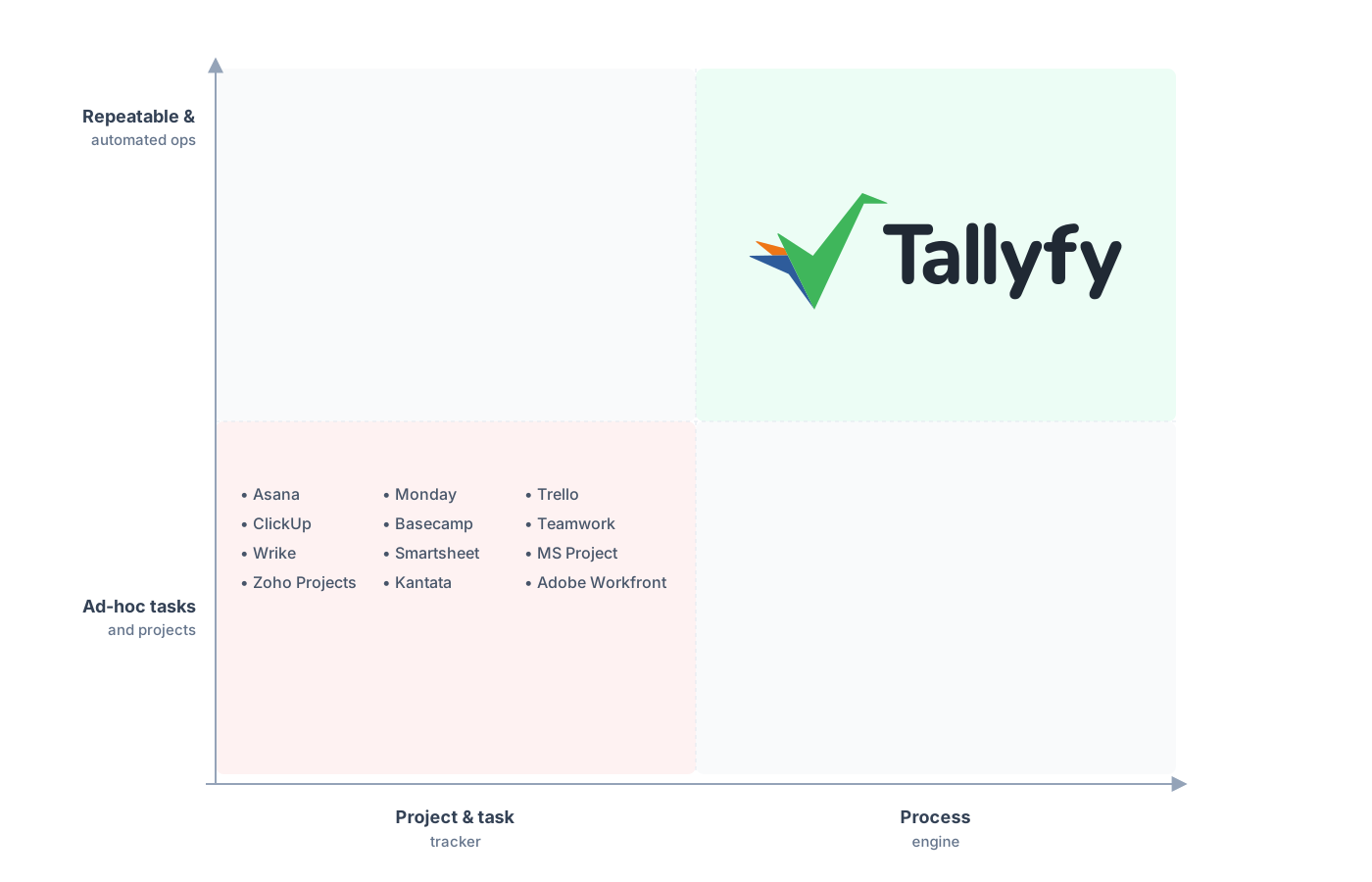
Repeatable, automated operations, not a grid you tend by hand.
What teams expect to lose and keep is the at-a-glance picture. In Airtable you build an Interface or a filtered view to see where every record sits. With Tallyfy, the live status view ships built in, so every run surfaces on a named step without you assembling a reporting layer. The very constraint that worried you, giving up the relational grid, is what makes the status readable, and rebuilding those automations as Tallyfy rules is usually quick once the process is clear.
Common questions about migrating from Airtable
How long does a real migration from Airtable take?
Can I export my Airtable linked records and attachments?
Should every Airtable base move to Tallyfy?
What happens to my records when they become Tallyfy objects?
How does the pricing compare?
Still weighing the decision rather than ready to move? Our Airtable alternative comparison is the page that pits a relational database against a workflow engine, and this guide handles the move itself.
Once moving stops being hypothetical, book a short call. We’ll sit down over your current Airtable bases and give you a straight read on which are real workflows worth migrating and which should stay as datasets.
Book a 30-minute migration walkthrough and bring your two or three busiest bases. Half an hour on the real ones settles whether this fits.