
Summary
- The first decision isn’t how to export, it’s which Notion databases are actually processes - Notion is a docs-and-databases workspace, so a lot of “databases” are really living documents. The ones worth moving are the databases people quietly turned into task trackers, approval queues, and onboarding checklists. Those map onto a workflow tool. The wiki pages do not.
- Notion exports natively, and the database shape is what you keep - any page or database exports as HTML, and a full-page database comes out as a CSV with Markdown files for each subpage. The CSV gives you the columns, not the relation and rollup logic that linked them. The complete path is the Notion API.
- The concept map turns a database into the right object - a process database becomes a Tallyfy blueprint, a row that’s a case becomes its own running process, a property becomes a form field, and a status column becomes a real step or an approval that blocks.
- Budget several weeks, not a weekend - sort which databases are processes, rebuild your top three, parallel-run, then switch. Book a 30-minute migration walkthrough and we’ll be honest about whether it’s worth it.
If you’re planning a move off Notion, the smartest first move has nothing to do with exporting. It’s triage. Notion quietly holds two completely different kinds of work that read identically on screen, and only one of them belongs in a workflow tool.
The real split is simple. A Notion database where each row runs through the same stages, and the whole thing repeats, is a process, and it maps onto Tallyfy cleanly. A page full of notes, specs, and meeting docs is a document, and it should stay in a wiki. Plenty of Notion migrations get derailed when someone tries to drag the docs across too. Deciding which databases are really processes in a database costume is where you start, and that instinct sits underneath most moves to dedicated workflow software.
Why teams move off Notion
Notion is genuinely good, and there’s no point pretending otherwise, because a guide that trashes the tool you’re leaving teaches you nothing. Notion gives you docs, wikis, and databases in one place, with a flexible page canvas that bends to almost any shape. For writing things down and linking them together, that flexibility is the whole appeal, and it’s why teams fall in love with it early.
There’s one place the friction always shows. It shows the moment a database is asked to run a process instead of merely storing one.
Tallyfy is the only product available that does Process Documentation and Process Tracking in one
Two things tip teams into looking elsewhere, and both come from that mismatch. The first problem is that a database asks nothing of anyone. A row can sit in the wrong status forever, the next stage can be skipped, and Notion won’t object, because a database stores state, it doesn’t push work forward. Flexibility cuts both ways: the same canvas that lets you build anything also lets work quietly stall in a messy half-done state.
The second is that the workarounds pile up. To make a database behave like a workflow you stack status properties, filtered views, linked databases, buttons, and a few automations until the setup is clunky and only its author understands it. Once work has to run the same way every time, that scaffolding becomes the problem rather than the fix.
What Notion’s export actually gives you
Worth knowing the export shape first, because it frames the whole plan. Notion lets you export any page or database as HTML, Markdown, or PDF from the three-dot menu, and a full-page database comes out as a CSV file with Markdown files for each subpage. So the raw contents of any database are easy to get out.
Then look at what a CSV can’t carry, because that’s the part that bites. A CSV is flat. It holds the column values for each row, but a relation that linked one database to another collapses to plain text, a rollup that summarized those linked rows goes static, and a Notion formula comes across as its last computed value rather than the logic that produced it. You keep the data. You don’t keep the wiring between databases that made the thing feel like a system.
A complete, structured pull means the Notion API, which follows RESTful conventions and reads pages, databases, blocks, and properties programmatically. Most migrations never touch it, though. You export the databases you’ve decided are real processes, keep the old Notion workspace as your read-only archive, and rebuild those processes fresh. One note worth knowing: a full PDF export of an entire workspace is gated to the Business and Enterprise plans, so for backup purposes the per-database CSV is what most teams reach for.
How Notion concepts map to Tallyfy
Here’s the step that makes people uneasy, and the wrinkle is that one Notion concept, the database row, splits into two different Tallyfy objects depending on what the row really is. Nail that and the rest is downhill.
| In Notion | In Tallyfy | What actually changes |
|---|---|---|
| Workspace | Organization / category | Becomes organizing metadata |
| Database used as a tracker | Blueprint | Your reusable process definition |
| Row that is a case (page) | Process (run) | A case row becomes its own running process |
| Property (column) | Form field (capture) | Captures data at the right step |
| Status property | Step status or approval | A status column becomes a step or a sign-off |
| Sub-item / linked task | Step or sub-step | A checklist row becomes a step in the flow |
| Relation / rollup | Read-only reference | The linked logic is documented, not run |
| Notion formula | Read-only value | The calculation is recorded, not executed |
| Notion automation / button | Rule (IF-THEN) | Rebuilt by hand, not imported |
| Doc / wiki page | Stays in Notion | A document is not a Tallyfy object |
The shift in thinking is from a flexible canvas to a fixed flow. In Notion you build the structure as you go and read state across a database view. In Tallyfy you lay the process down once, and every run follows it the same way. The data comes through fine. The free-form flexibility, where any database could become anything, does not, and for a repeatable process that constraint is the point, because it’s what stops rows from drifting.

Take hiring as the example. A lot of teams run an applicant tracker as a Notion database: each row is a candidate, with properties for the role, a stage status with colored options, the interviewer, and a relation to a separate interviews database. It looks like a pipeline, but it’s basically a table with manual status-dragging and an automation that pings someone when a stage changes. Do the move properly and each candidate becomes its own running process, kicked off the moment an application lands, with steps for screening and interviews, an approval step that actually blocks the offer until a hiring manager signs off, and a clear view of every open candidate at once. The database was tracking the hiring. The blueprint runs it.
A realistic migration timeline
Anyone promising a one-weekend migration hasn’t done one. A real move runs about five to six weeks, and with Notion the first week pulls more weight than the rest.
Give the first week to the audit, and treat it as the one that matters most. Go database by database and drop each into one of two piles: this runs a repeating process, or this is documentation. The test is simple. Does this database push a sequence of stages that repeats, or does it hold reference material and notes you read? Move the first pile only. Be honest here, because dragging a wiki into a workflow tool helps nobody, and Notion stays a perfectly good home for the genuine docs.
The next week, recreate your top three process databases as Tallyfy blueprints. Three of them, not thirty. Start with the ones that hurt most when a row gets stuck in the wrong status, giving each one an owner, a clear order, and the sign-offs that genuinely gate it. After that comes the parallel run: have one or two teams run the new Tallyfy process in parallel with the old database, so the gaps surface while you still have a fallback.
Once that holds, move your heaviest users across first and flip the old databases to read-only, then over the next couple of weeks bring everyone else across and keep Notion for what it was always best at, the docs and the wiki.
Why go at this pace?
Because the point was never to rebuild your databases in a new tool. The point is to find the handful that were always processes pretending to be tables, and finally let them run that way.
What breaks, and what Tallyfy won’t replace
What actually breaks is worth naming, because a handful of these catch every migration. Relations and rollups have no flat equivalent, so the linked-database logic breaks and you document it in the step instead. The nested page content, the doc body that lives inside a Notion row, isn’t a Tallyfy concept the way it is in Notion. Notion formulas go static. And the free-form structure, where a database could be reshaped on a whim, gives way to a defined flow, which is the paradigm shift and the retraining cost.
And here’s the part most guides won’t tell you. Notion can do things Tallyfy can’t, and they matter.
Notion is a documentation and knowledge workspace at heart, and Tallyfy is not. The wiki, the nested docs, the infinitely flexible page canvas, the place where your team writes things down and links them together, have no equivalent in a tool built to run a single process end to end. Something we hear a lot from teams leaving Notion is the worry that they’ll lose their knowledge base, and the honest answer is that they would if they tried to move it, so they shouldn’t. Keep Notion, or a real knowledge base, for the documentation. Move only the process databases across. Many teams keep both: Notion for the docs and the notes, Tallyfy for the workflows that have to run the same way every time, and the process documentation itself can stay wherever your team already reads it.
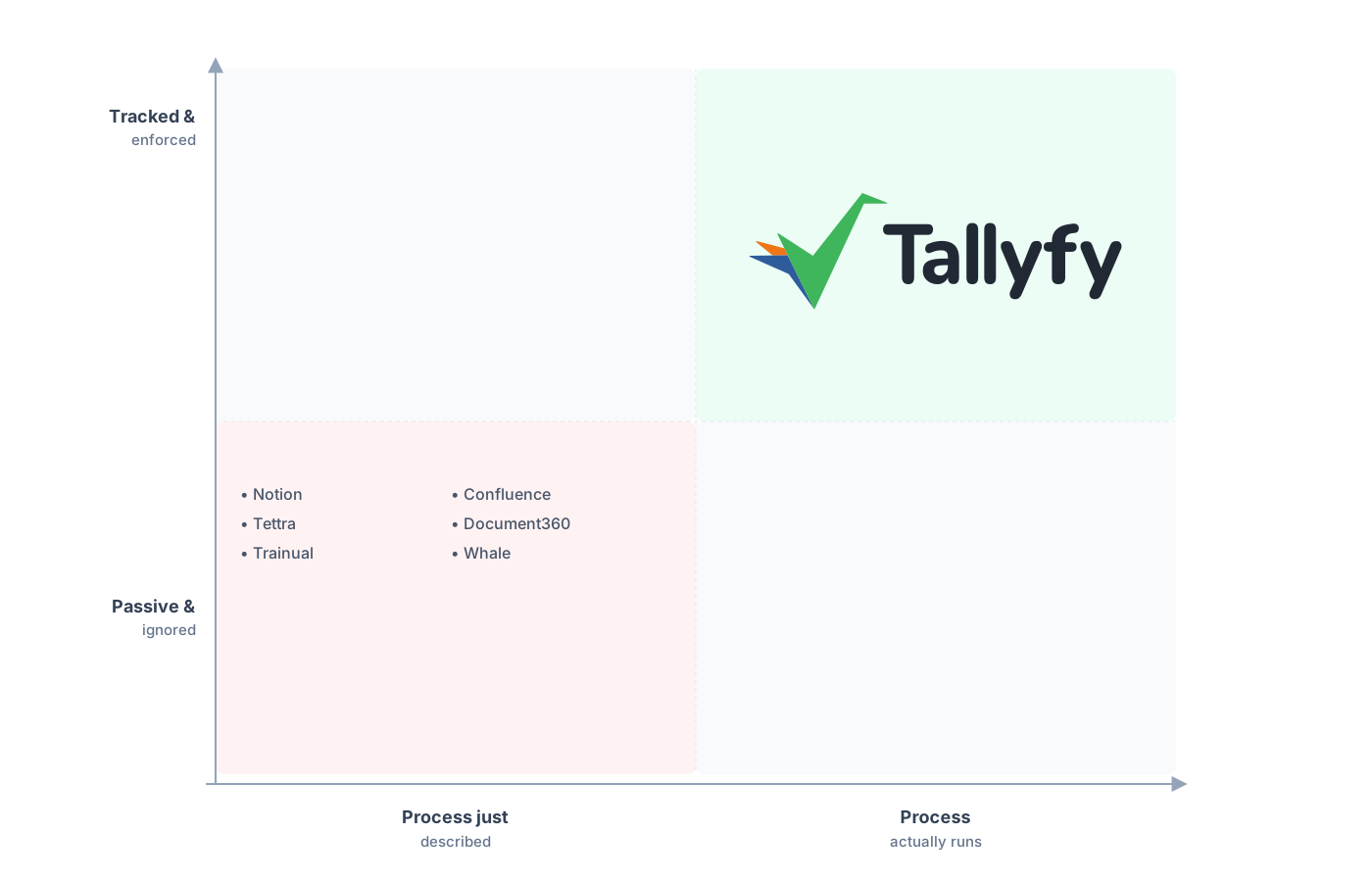
Tracked and run, not described and ignored.
The at-a-glance view is the thing teams expect to lose and then don’t. In Notion you build a filtered board or a dashboard pointed at your databases to see what’s where. Tallyfy ships the live status view built in, so every run sits on a named step without you wiring up a reporting layer. The very thing that worried you, giving up the flexible canvas, is what makes the status legible, and rebuilding those status-change automations as Tallyfy rules comes together fast once the process itself is clear. The piece that genuinely improves is the process itself, because writing it down as steps forces the decisions a database let you dodge.
Common questions about migrating from Notion
How long does a real migration from Notion take?
Can I export my Notion relations and rollups?
Should every Notion database move to Tallyfy?
What happens to my database rows when they become Tallyfy objects?
How does the pricing compare?
Still mulling it over rather than ready to move? Our Notion alternative comparison contrasts a flexible workspace with a tool that runs the process, and this guide walks you through actually doing it.
When the move stops being a maybe, the first thing to do is book a short call. We go over your current Notion setup and tell you straight which databases are real processes worth migrating and which should stay as docs.
Book a 30-minute migration walkthrough and bring your two or three busiest databases. Walk through those live and you’ll know within the hour.