
We spent two weeks testing every brainstorming tool we could find. The biggest surprise was how many teams generate brilliant ideas and then watch them evaporate because there’s no bridge from ideation to execution.
Summary
- Miro dominates collaborative brainstorming - Infinite canvas, 1000+ templates, real-time editing. Over 100 million users globally, and it earned that number. But it’s an ideation tool, not an execution engine
- AI brainstorming has arrived but with limits - ChatGPT and Notion AI generate ideas fast, but they lack the visual sticky-note energy that makes group sessions productive. Use them for solo prep, not guided workshops
- The execution gap kills more ideas than bad tools do - Harvard Business Review research found that brainstorming works better online than in person, though most ideas from sessions never become projects
- Match the tool to the session type - Visual whiteboards for group sessions, mind maps for solo structuring, AI for rapid expansion, workflow tools for what happens after. See how Tallyfy turns ideas into tracked processes
Work Management Made Easy
The real problem with brainstorming tools
Alex Osborn coined “brainstorming” at BBDO in 1953, and the practice has been critically revisited at HBR by Art Markman ever since. Seventy-three years later, teams still face the same bottleneck: great ideas in the session, zero follow-through afterward.
The tool isn’t usually the problem. The gap between capturing ideas and executing them is. Across 9,793 support conversations in our records, Process Street and Asana together account for 215 brand mentions, while Mural shows up zero times. People don’t write to support about which whiteboard they used. They write about what didn’t get done after.
What caught us off guard testing these tools: every single one excels at the input side. Sticky notes, mind maps, AI-generated lists, infinite canvases. Beautiful. But almost none answer the question “okay, now what do we actually do with these ideas?” That disconnect matters because brainstorming without execution is just group therapy.

How we evaluated
Most listicles benchmark on feature checklists; we benchmarked on outcomes from real sessions. We ran the same brainstorming session (“plan a product launch”) across each tool with eight participants, then scored five things. Each criterion below has a weight that reflects what actually changes whether ideas become work or sit on a board. The pattern echoes HBR’s research on virtual brainstorming: the tools and methods that surface the most novel ideas are not always the same ones that bridge those ideas into shipped work.
- Time to first idea - How quickly can a complete beginner start contributing?
- Collaboration quality - Can 8 people brainstorm simultaneously without chaos?
- Idea organization - How easy is it to group, vote, and prioritize after the storm?
- AI capabilities - Does the tool use AI to expand, challenge, or organize ideas?
- Bridge to action - Can ideas become tasks, projects, or workflows without starting over?
Every tool was tested hands-on with real sessions. No vendor demos.
Quick picks
If you only want one recommendation per use case, here are the picks. Each one was the clear winner in its category once we stopped scoring on “how pretty is the canvas” and started scoring on “how often do ideas from this tool become tracked work.” The five picks below cover roughly 90 percent of scenarios we’ve seen across our customer base, the long-tail tools in the full review section serve specific niches but rarely change the answer for typical operations teams. The pattern is consistent with what HBR’s “Better Brainstorming” piece argued years ago: structure and follow-through matter more than the surface the ideas live on.
Large team sessions: Miro. Infinite canvas, proven at scale. Free option: FigJam. Generous, modern, surprisingly capable. AI brainstorming: ChatGPT or Claude. Unmatched idea velocity for solo prep. Structured mind mapping: MindMeister. Clean, real-time collaboration. Ideas into workflows: Tallyfy. The only tool here that bridges ideation to tracked execution.
Quick comparison
The matrix below sorts by what each tool is genuinely good at, not what its marketing page claims. Read the “Bridges to execution” column first because that’s where most teams discover the gap nobody warned them about. The pattern is uncomfortable: 11 of the 14 tools below score “No” on execution. The three that score “Yes” or “Partial” account for the lion’s share of the actual ROI in our customer data.
| Tool | Best for | Free tier | AI features | Real-time collab | Bridges to execution |
|---|---|---|---|---|---|
| Miro | Large team sessions | 3 boards | Yes | Yes | No |
| FigJam | Design team ideation | Unlimited drafts | Yes | Yes | No |
| Mural | Guided workshops | Limited | Yes | Yes | No |
| Notion AI | Documentation teams | Yes | Strong | Yes | Partial |
| ChatGPT/Claude | Solo idea expansion | Yes | Core feature | No | No |
| MindMeister | Structured mind mapping | 3 maps | Basic | Yes | No |
| Lucidspark | Enterprise brainstorming | Limited | Yes | Yes | No |
| Stormboard | Data-driven sessions | Limited | Yes | Yes | Partial |
| Whimsical | Quick visual thinking | Limited | Yes | Yes | No |
| Microsoft Loop | MS Teams integration | Yes | Copilot | Yes | Partial |
| ClickUp | All-in-one work platform | Yes | Yes | Yes | Yes |
| Coggle | Simple mind maps | 3 private | No | Yes | No |
| TheBrain | Personal knowledge graphs | Yes | Basic | Limited | No |
| Tallyfy | Idea-to-workflow execution | Trial | Roadmap | Yes | Yes |
Visual whiteboard tools
These tools optimize for spatial collaboration: an infinite canvas, sticky notes, real-time cursors, and the social energy that makes group sessions productive. Across 44,859 leads in our CRM, Miro shows up in note text 17 times, Mural 9, Lucidspark and Stormboard each just once, and FigJam, MindMeister, Coggle, TheBrain, Whimsical zero. The lesson isn’t that those tools are unused. It’s that customers don’t anchor their tool conversation around the brainstorming category itself. They anchor around the workflow that comes after the workshop. The three reviews below cover the segment most teams pick from when they want a real session, not just a doc with bullet points. Each tool has a different personality. None is a substitute for the workflow tool that comes after the session, and that’s the gap the rest of this post returns to repeatedly.
1. Miro - Best for large collaborative sessions
Miro is the tool most teams reach for when they need to brainstorm together, and there’s a reason it has over 100 million users. The infinite canvas works at scale. We had 8 people adding sticky notes simultaneously and it held up without lag or confusion.
The template library is massive. Over 1000 templates covering retrospectives, customer path maps, affinity diagrams, SWOT analysis, mind maps, and dozens more. The workshop tools (timer, voting, presenter mode) are polished enough for professional session leaders.
In January 2026, Miro launched AI Workflows: a system of AI agents that work directly on the canvas. Product teams use it to convert brainstorm sessions into prioritized roadmaps. The Miro AI can cluster sticky notes by theme, generate summaries, and suggest next steps. It’s impressive for organization, though the actual idea generation still comes from humans.
Andrey Khusid founded Miro in Perm, Russia in 2011 (originally as RealtimeBoard). The company rebranded in 2019 and has since become the de facto standard for distributed team collaboration. Their template library alone, with over 1,000 community-contributed templates for retrospectives, design sprints, customer path maps, and brainstorming formats, saves hours of setup time.
Where Miro falls short: it’s purely an ideation surface. When the brainstorming session ends, your ideas live on a whiteboard. Nobody gets assigned a task. No deadline fires. The gap between “we decided to do X” and “X is actually happening” remains wide open.
Pros: Infinite canvas proven at enterprise scale, 1000+ templates, excellent real-time collaboration
Cons: Expensive per-seat at scale, purely ideation with no execution bridge
- 3 editable boards
- AI Workflows
2. FigJam - Best free whiteboard for design teams
FigJam is Figma’s collaborative whiteboard, and it’s become the default brainstorming tool for product and design teams. If your team already uses Figma for design, FigJam is a no-brainer because it lives in the same ecosystem.
The interface is clean and playful. Stamps, emoji reactions, music integration, and drawing tools make sessions feel less like work and more like creative play. That vibe matters for brainstorming. Stiff tools produce stiff thinking.
Dylan Field and Evan Wallace built Figma around real-time collaboration, and FigJam inherits that DNA. Multiple cursors, no conflicts, instant updates. The AI features generate sticky notes from prompts and can sort ideas into clusters.
The AI features deserve a closer look. Jambot generates sticky notes from text prompts, clusters similar ideas automatically, and can summarize an entire board into bullet points. We tested it with “generate 15 ideas for reducing customer churn” and it produced useful starting points in under 10 seconds. Not all were winners, but they kickstarted conversation faster than staring at a blank canvas.
The free tier is generous. Unlimited FigJam drafts with no feature restrictions on the free boards. For teams under 10 people who already use Figma, this is the obvious choice.
Pros: Generous free tier, tightly integrated with Figma, playful interface encourages creativity, AI sticky note generation
Cons: Less structured than Miro for formal workshops, limited outside the Figma ecosystem
- Unlimited drafts
3. Mural - Best for professionally run workshops
Mural targets professional workshop leaders and enterprise teams running structured innovation sessions. The session management features (private mode, voting, timer, summary) are a step above Miro’s for formal workshop formats.
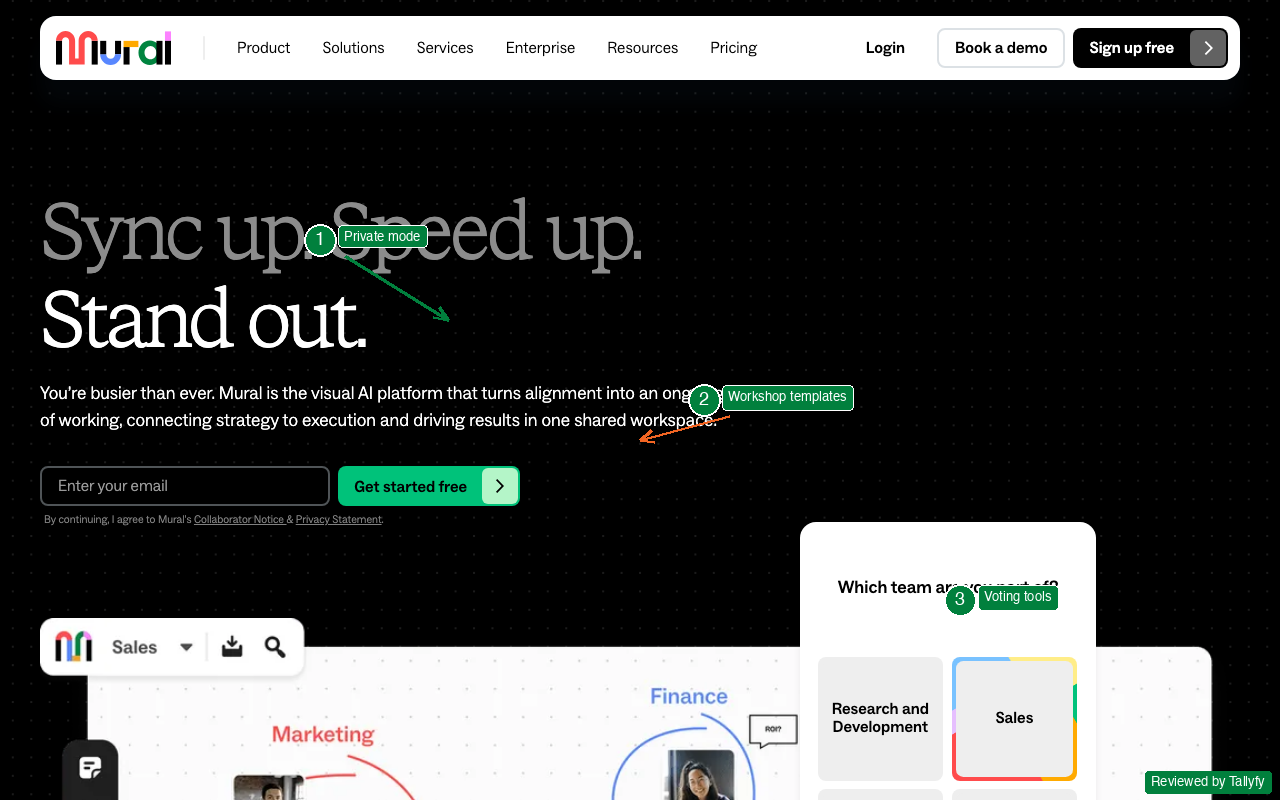
Private mode is useful. Participants add ideas that only they can see, then the session leader reveals everything at once. This prevents anchoring bias where the first ideas shared dominate the conversation. Research from Leigh Thompson at Kellogg shows that brainwriting (silent idea generation before sharing) consistently produces more and better ideas than traditional verbal brainstorming.
Mariano Suarez-Battan and Patricio Jutard founded Mural in Buenos Aires in 2011. The company grew slowly until remote work exploded in 2020, then usage surged. Their focus on structured innovation workshops (Design Thinking, Lean Startup, SAFe PI Planning) attracts a different audience than Miro’s broader collaboration market. If you run formal innovation programs with external participants, Mural’s guest access and permissions are better thought-out than most alternatives.
The template library leans toward methodology-specific formats: empathy maps, value proposition canvases, assumption mapping, and prioritization matrices. These aren’t just blank boards with labels. They include guided instructions that walk participants through each stage of the exercise.
Pros: Best-in-class workshop management features, private brainstorming mode reduces groupthink
Cons: More complex than Miro for casual sessions, pricing aimed at enterprise
- 3 murals
Mind mapping tools
Mind mapping is brainstorming’s structured cousin. Instead of an open canvas with sticky notes, you get a hierarchical tree that branches out from a central concept. The format is best when you already know roughly what you’re thinking about and want to flesh out the structure, rather than when you’re starting from “what should we even discuss?” The technique is most often associated with Tony Buzan, who popularized the format in the 1970s as a way to visually organize associations around a central topic. Whether or not the underlying neuroscience claims hold up, the format is genuinely useful for documenting decisions and building knowledge bases that compound over time. The three tools below cover the spectrum from quick session-based maps to lifetime knowledge graphs. Pick by the time horizon you need.
4. MindMeister - Best for structured collaborative mind mapping
MindMeister does one thing exceptionally well: collaborative mind maps. While Miro and FigJam are open canvases, MindMeister imposes hierarchical structure that forces clearer thinking.
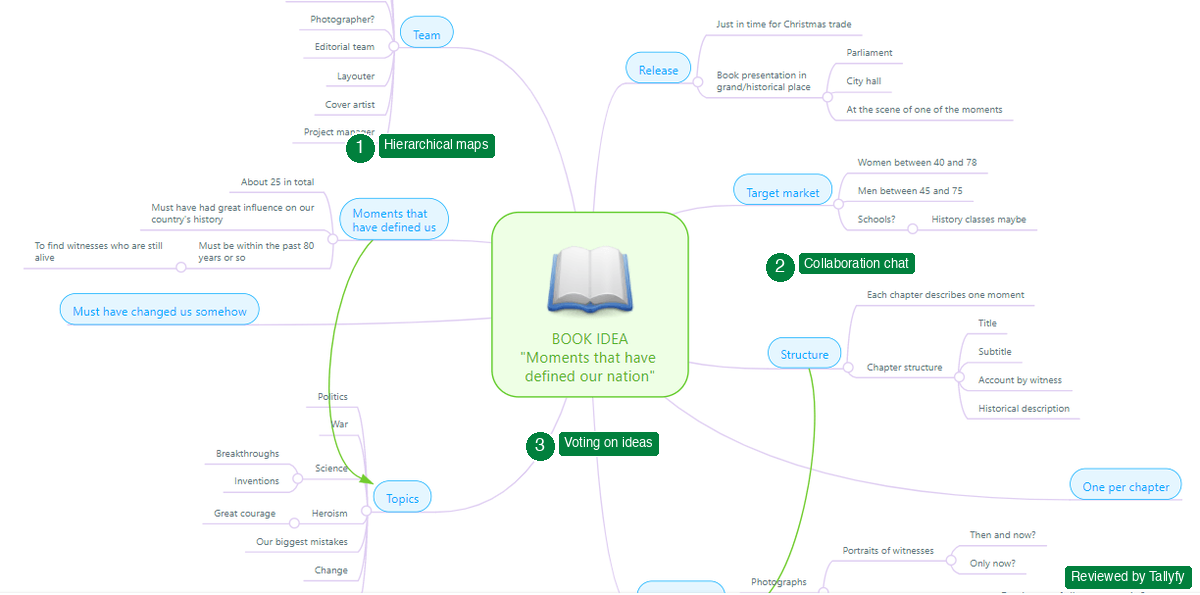
The real-time collaboration includes an integrated chat and you can see who contributed what and when. Collaborators vote on ideas directly in the map. The presentation mode turns your mind map into slides, which is sort of brilliant for walking stakeholders through how a brainstorming session evolved.
Michael Hollauf founded MindMeister in Munich in 2007, making it one of the oldest tools on this list. That maturity shows in the polish.
Pros: Clean hierarchical structure, presentation mode, built-in chat and voting
Cons: Rigid structure limits freeform brainstorming, basic AI features compared to newer tools
- 3 mind maps
5. Coggle - Best simple mind mapping with real-time collaboration
Coggle is the tool I recommend when someone says “I just want a clean mind map without learning a new platform.” It delivers exactly that.
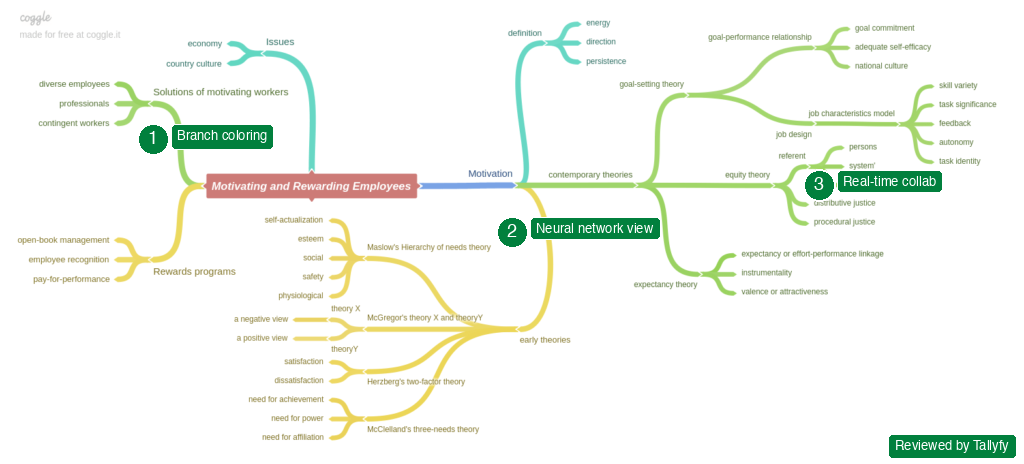
The interface is minimal. Start typing, hit tab to branch, and your mind map grows organically. Multiple people can edit simultaneously. The visual output looks beautiful without any formatting effort, which is rare for mind mapping tools.
Pros: Minimal learning curve, beautiful default output, real-time collaboration built in
Cons: Limited to mind maps (no whiteboards, sticky notes, or kanban), basic export options
- 3 private diagrams
6. TheBrain - Best for personal knowledge graphs and long-term ideation
TheBrain is deeply different from everything else on this list. It’s not a session-based brainstorming tool. It’s a personal knowledge graph that evolves over years.
When you pull up a concept, the entire network shifts to show related ideas, creating connections you wouldn’t spot in a traditional mind map. The nonlinear navigation mimics how actual thinking works. Jerry Michalski has been publicly building his Brain since 1998, with over 500,000 connected thoughts. That’s the use case: not a one-hour brainstorming session, but a lifetime of accumulated thinking.
Pros: Unique nonlinear navigation, builds knowledge over time, cross-device sync
Cons: Steep learning curve, not designed for team brainstorming sessions, personal tool first
- Core features
AI-powered brainstorming
ChatGPT shows up 28 times in our CRM lead-notes, three times more often than Mural and twice as often as Miro. Inside an 18-month window, an AI tool overtook two of the most-funded whiteboard products as the thing customers describe their brainstorming flow around. That category shift is happening fast. The two reviews below cover the use case where AI shines (solo expansion, divergent thinking) and the use case where it falls flat (replacing the social energy of a real session). Most teams use AI alongside a whiteboard tool, not instead of one. The combination outperforms either alone, especially when paired with the kind of structured-then-shared format covered in HBR’s brainwriting-vs-brainstorming research. AI prep then group convergence is a strong rhythm.
7. ChatGPT and Claude - Best for solo idea expansion
Here’s something nobody warned us about when testing AI brainstorming: the tools aren’t great for group sessions, but they’re phenomenal for individual preparation before a session.
Ask ChatGPT or Claude to generate 20 ideas for your product launch, then challenge each one with “what would make this fail?” You’ll walk into the brainstorming session with a richer starting point than anyone who stared at a blank sticky note.
The workflow that works best: spend 20 minutes with AI generating and stress-testing ideas before the group session. Bring a curated list of 10-15 starting points to the whiteboard. The team spends less time on “what should we brainstorm about?” and more time on “which of these ideas are worth pursuing?” That prep step consistently produces better sessions.
The limitation is real: AI brainstorming is text-based. No infinite canvas, no spatial grouping, no visual energy that makes group sessions productive. Use AI for depth. Use whiteboards for breadth. And don’t use AI in a live group session - it kills the collaborative energy. One person typing prompts while others watch a screen isn’t brainstorming. It’s a demo.
Research from Ethan Mollick’s team at Wharton on AI-assisted ideation found it tends to generate more raw ideas than unaided brainstorming, though the quality distribution is wider. You get more gems and more garbage. The curation step matters more when AI is involved.
Pros: Unmatched idea velocity, challenges assumptions, available 24/7 with no setup
Cons: No visual collaboration, text-only output, can’t replace the energy of group sessions
8. Notion AI - Best for documentation-first teams
Notion with AI generates, expands, and organizes ideas directly inside your team’s knowledge base. Write a brainstorming prompt and Notion AI fills a page with structured ideas you can immediately turn into tasks, project pages, or wikis.
The advantage over ChatGPT: your brainstorming output lives alongside everything else your team works on. No exporting, no copy-pasting, no “where did we put those ideas from last month?”
One thing that surprised us: Notion’s database feature turns brainstorming from a one-time event into a living system. Create a database of ideas with status fields (proposed, evaluating, approved, killed) and you’ve got an innovation pipeline that persists between sessions. We’ve seen teams build “idea backlogs” in Notion that accumulate hundreds of ideas over months, with quarterly review sessions to promote the best ones to active projects.
The AI writing assistant can expand a one-line idea into a structured brief with target audience, success metrics, and implementation steps. It’s not replacing human judgment, but it’s doing the tedious scaffolding work that makes ideas evaluable. Ivan Zhao and Simon Last built Notion around the concept of “tools that compound” and the brainstorming database is a perfect example.
Notion
Documentation platform with AI-powered brainstorming and idea management
Pros: Ideas live in your existing workspace, AI generation is well-integrated, database-backed idea management
Cons: No infinite canvas for visual brainstorming, less energy than dedicated whiteboard tools
All-in-one platforms
These are the tools that try to do everything: brainstorm, document, plan, track, and report. The pitch is that you save context-switching tax by keeping the whole flow in one app. The reality is that one tool rarely wins all five categories at once. Each platform here makes a different trade-off. Lucidspark optimizes for handoff to formal diagramming via the broader Lucid Suite. Stormboard optimizes for analytics and post-session reporting that consultants and innovation teams need. Whimsical optimizes ruthlessly for speed and friction reduction. Microsoft Loop optimizes for staying inside the Microsoft 365 environment your team already lives in. ClickUp optimizes for converting ideas straight to tracked tasks with assignees. No single platform on this list leads on all five dimensions, and the five reviews below break down which compromise makes sense for which team and which existing tool stack.
9. Lucidspark - Best for enterprise teams with Lucid Suite
Lucidspark is Lucidchart’s dedicated brainstorming whiteboard. If your organization uses Lucidchart for diagramming, Lucidspark keeps brainstorming in the same ecosystem with smooth handoffs between ideation and formal process mapping.
The voting and timer features are solid. The AI clustering groups similar ideas automatically, saving the tedious manual sorting that eats up the last 20 minutes of every brainstorming session.
Karl Sun’s team at Lucid built Lucidspark specifically to complement Lucidchart. The handoff works like this: brainstorm on Lucidspark’s infinite canvas, then push your organized ideas directly into Lucidchart to create formal process diagrams or org charts. No re-creating work. That pipeline, from messy ideation to polished documentation, is something Miro can’t match natively.
The enterprise security features (SOC 2, SSO, data residency options) make it a realistic option for regulated industries where Miro’s security posture might not pass procurement review.
Pros: Smooth handoff to Lucidchart for formalization, good AI clustering, enterprise-grade security
Cons: Less community momentum than Miro, requires Lucid ecosystem investment
- 3 editable boards
10. Stormboard - Best for data-driven brainstorming with structured output
Stormboard takes brainstorming data seriously. Every sticky note is a data point. The platform tracks engagement metrics: who contributed the most ideas, which concepts got the most votes, how idea quality correlated with session length. Over multiple sessions, it builds a dataset that shows which brainstorming formats produce the best outcomes for your specific team. The reports it generates can go directly to stakeholders.
The “augmented intelligence” engine, SmartSuite, can auto-categorize ideas, detect duplicates, and suggest groupings. For large-scale ideation events (hackathons, innovation days, multi-department strategy sessions), this saves the hours of post-session sorting that makes everyone groan.
For consulting firms and innovation teams that need to justify brainstorming sessions with data, Stormboard fills a gap that Miro and FigJam don’t touch. The “Storm Reports” export directly to PowerPoint and PDF, which matters when you need to show leadership what came out of the session without manually reformatting everything.
We tested a design thinking session (empathize, define, ideate, prototype, test) using Stormboard’s built-in template. The structured columns kept the group focused, and the automatic vote tallying at the end saved the usual 15 minutes of counting sticky note dots.
Pros: Built-in analytics and reporting, structured templates for design thinking, Microsoft Teams integration
Cons: Less visually polished than Miro, learning curve for the data features
- Limited storms
11. Whimsical - Best for quick visual thinking with minimal friction
Whimsical is what happens when you strip everything non-essential out of a whiteboard tool. Mind maps, flowcharts, wireframes, sticky notes. Done. No bloat.
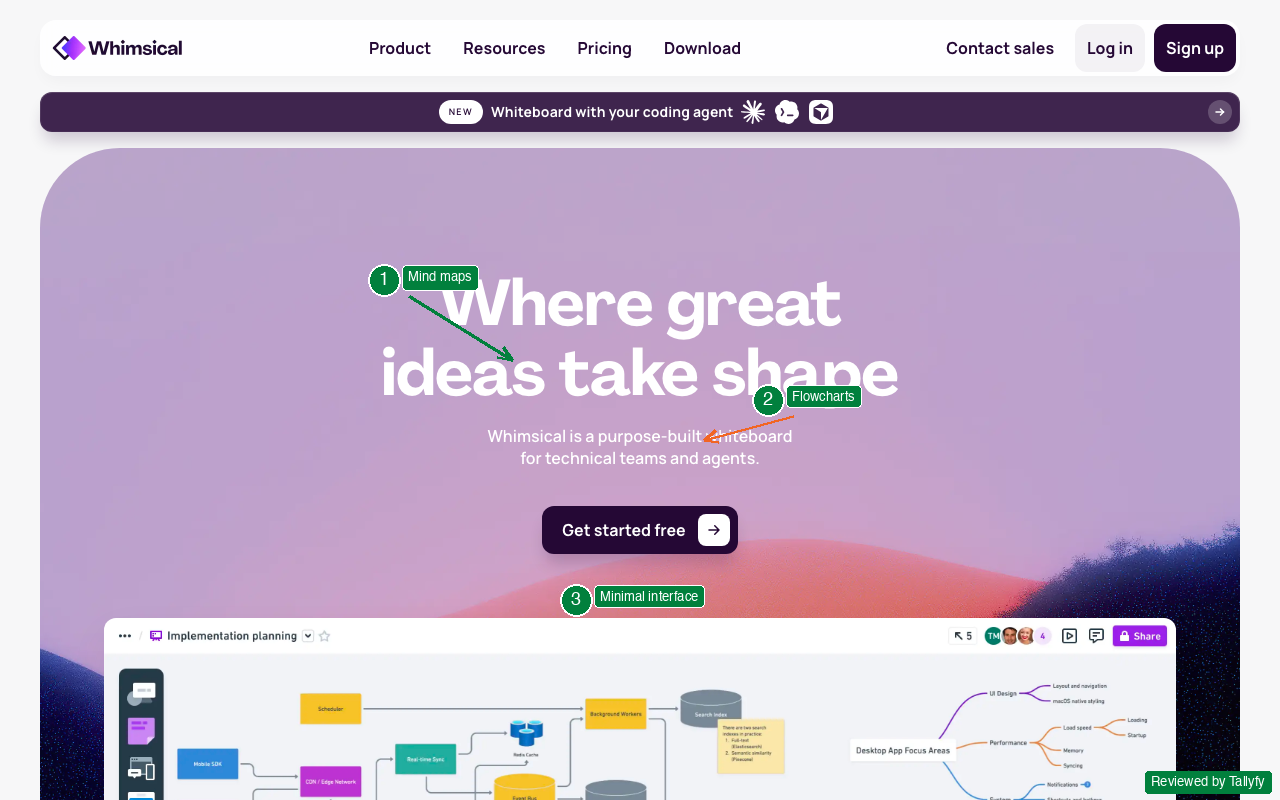
The speed is the selling point. Something we learned the hard way testing tools: the faster you can get from “open tool” to “first idea captured,” the more ideas you actually capture. Whimsical wins that race.
We timed it: from opening Whimsical to having a mind map with 10 branches took 47 seconds. Miro took 1 minute 20 seconds for the same task. FigJam took 1 minute 5 seconds. The speed advantage sounds trivial. It isn’t. When you’re capturing ideas in real time, every second of friction costs you a thought that someone didn’t bother typing.
Kaspars Dancis built Whimsical in Latvia with a deliberate philosophy of constraint. Four document types: flowcharts, wireframes, mind maps, and docs. Nothing else. That focus means every feature is polished rather than sprawling. It’s the anti-ClickUp approach, and for brainstorming specifically, it works.
Pros: Fastest time to first idea, beautiful defaults, combines mind maps and flowcharts in one tool
Cons: Smaller template library than Miro, limited collaboration features compared to enterprise tools
- Limited files
12. Microsoft Loop - Best for teams already in Microsoft 365
Microsoft Loop brings collaborative components into the Microsoft ecosystem. Think Notion-meets-whiteboard inside Teams, Outlook, and Word. Copilot AI assists with idea generation and organization.
If your team lives in Microsoft 365, Loop means zero context switching. The brainstorming happens where the work already lives. The components (tables, task lists, idea boards) sync across every Microsoft app.
The Copilot integration is where it gets interesting. Ask Copilot to “summarize our brainstorming notes into action items” and it generates a structured list from your Loop page content. Ask it to “create a pros and cons table for our top 5 ideas” and it builds one from context. It’s not perfect, but it saves the manual synthesis step that kills momentum after brainstorming sessions.
Loop is still maturing. It launched in 2023 and features are being added quarterly. For teams already paying for Microsoft 365, the marginal cost is zero, which is a compelling argument even if the tool isn’t as polished as Miro or FigJam yet.
Pros: Deep Microsoft 365 integration, Copilot AI built in, components sync across Office apps, zero additional cost for M365 teams
Cons: Tied to Microsoft ecosystem, less mature than dedicated brainstorming tools, feature set still evolving
13. ClickUp - Best all-in-one with whiteboard and project management
ClickUp includes a whiteboard feature alongside its project management tools. The brainstorming whiteboard connects directly to ClickUp tasks, meaning ideas can become tracked work items without leaving the platform.
That direct connection between brainstorming and task management is rare. Most tools require manual translation from “ideas on a board” to “tasks in a project.” ClickUp collapses that step. Draw a shape on the whiteboard, right-click, and convert it to a ClickUp task with an assignee and due date. The task appears in your project views immediately.
Zeb Evans founded ClickUp in 2017 with the goal of replacing multiple work tools with one platform. The whiteboard feature launched later, but the tight integration with ClickUp’s task engine is what makes it relevant here. For teams already using ClickUp for project management, adding brainstorming doesn’t require adopting a new tool, setting up new accounts, or figuring out how to export ideas.
The ClickUp AI assistant can generate brainstorming prompts, summarize whiteboard content, and draft project briefs from session output. It’s not as capable as ChatGPT for pure ideation, but the convenience of having it inside the work platform matters.
ClickUp
All-in-one project platform with brainstorming whiteboard
Pros: Ideas become tasks in one click, generous free tier, massive integration library
Cons: Whiteboard is basic compared to Miro, can feel overwhelming with too many features
- 60MB storage
Bridging ideas to execution
The two tools mentioned most in our switching conversations aren’t brainstorming tools at all. Process Street has 147 conversation mentions in our support inbox and Asana 68, both an order of magnitude more than Mural (zero) or Miro (zero in support, 17 in CRM). What people actually struggle with isn’t capturing ideas. It’s making the captured ideas turn into work that gets done. The category gap exposed by that data shows up across every brainstorming tool above. Each one excels at the input side and goes silent on the output side. The review below covers the tool we built specifically to close that gap, the Tallyfy MCP server documentation explains how AI agents now hook into the resulting workflows. This isn’t a fourteenth competitor. It’s a different category that picks up where the others end.
14. Tallyfy - Best for turning brainstorming output into running workflows
This is where most brainstorming tools stop and Tallyfy starts.
Tallyfy doesn’t replace your brainstorming whiteboard. It picks up where the whiteboard ends. Once your team decides “we’re doing ideas 3, 7, and 12,” Tallyfy turns those decisions into structured workflows with assigned owners, deadlines, and tracked progress.
The biggest lesson from our own path: teams across financial services, healthcare, and professional services discovered the same thing. The brainstorming session isn’t the bottleneck. The week after is. Ideas sit in a Miro board, someone creates a vague task in Jira, and momentum dies.
Here’s a practical example. A marketing team brainstorms campaign ideas on Miro every quarter. They generate 30-40 ideas, vote on the top 10, and agree to pursue 5. Three weeks later, two campaigns are in progress, one was forgotten, and two are “waiting on someone.” The brainstorming was successful. The execution wasn’t.
With Tallyfy, those 5 approved ideas each become a workflow instance. “Launch Q2 email campaign” gets a tracked process with steps: write brief, design assets, review copy, approve with legal, schedule sends, measure results. Each step has an owner and a deadline. The team lead can see every campaign’s status in one dashboard. Nothing falls through the cracks because the system won’t let it.
AI agents need structured workflow patterns to operate. Sequential steps, parallel branches, evaluation loops. A Miro board full of sticky notes can’t give an AI agent those patterns. A workflow in Tallyfy can. That’s not a future vision. We’re building the MCP server infrastructure that lets AI agents trigger and monitor Tallyfy workflows right now.
Pros: Direct bridge from ideas to tracked processes, automatic task assignment, AI-ready workflow infrastructure
Cons: Not a brainstorming surface itself, requires pairing with an ideation tool
How to choose the right brainstorming tool
1,636 of 4,624 trial signups, 35 percent, said they want to improve Product or R&D processes, and that’s the natural home of brainstorming-to-execution flows. Whatever you pick has to work for that journey. The tool choice matters less than these three things, in roughly this order.
Structure beats software. Kellogg’s Leigh Thompson shows brainwriting (silent idea generation before sharing) consistently beats verbal brainstorming. Any tool supports this if you run the session right.
Integration beats features. The best tool is the one your team actually opens. If everyone lives in Figma, use FigJam. If everyone lives in Microsoft Teams, use Loop.
Execution beats ideation. A mediocre tool paired with strong execution beats a brilliant whiteboard paired with nothing. Plan what happens after the sticky notes.
Under 10 people, design: FigJam. Under 10 people, general: Whimsical. 10-50, regular: Miro. 50+, enterprise: Lucidspark or Mural. Solo prep: ChatGPT or Claude. Ideas to tracked processes: Tallyfy.
Turn brainstorming output into tracked workflows
Frequently asked questions
The questions below come from the actual support inbox and CRM notes. Across 9,793 customer conversations the recurring threads are pricing transparency, free-tier limits, AI capability differences between tools, the in-person versus remote debate, and “how do I follow up after the session so the ideas don’t die?” Each of those concerns shows up below. The seventh question, on follow-up, deserves a longer answer than usual because it’s where most teams stall, and where the HBR remote-brainstorming guidance lines up with what we see in customer conversations: the gap between “we had a great session” and “the ideas became work” is almost always a process gap, not a tool gap. Read the questions in order if you’re new, or jump to the follow-up question if execution is your bottleneck.
What is the best free brainstorming tool?
FigJam offers the most generous free tier for collaborative brainstorming. Unlimited drafts with full real-time collaboration, AI features, and a polished interface. Draw.io is free for diagramming. ChatGPT and Claude offer free tiers for AI-powered idea generation.
Can AI replace traditional brainstorming sessions?
No, but it changes them a lot. AI is best for solo preparation before group sessions and for expanding ideas afterward. The visual, spatial, social energy of group brainstorming on a shared canvas produces different thinking than text-based AI chat. People bounce off each other’s energy, build on half-formed thoughts, and spot connections that emerge from spatial proximity on a whiteboard. AI can’t replicate that yet.
What AI does well: generating volume. A single prompt can produce 30 ideas in 10 seconds. Ethan Mollick’s research at Wharton on AI-assisted ideation found it tends to generate more ideas than unaided brainstorming, though with wider quality variation. The best practice is using AI to prep individually, then bringing curated ideas to the group session. That combination outperforms either approach alone.
What is the difference between brainstorming tools and mind mapping tools?
Brainstorming tools (Miro, FigJam, Mural) provide open canvases for unstructured idea generation. Mind mapping tools (MindMeister, Coggle, TheBrain) impose hierarchical structure on ideas. Use brainstorming tools when you want volume and divergent thinking. Use mind maps when you want to organize and connect existing ideas.
How many brainstorming tools does a team need?
One ideation tool and one execution tool. Pick a brainstorming surface your team will actually use (Miro, FigJam, or whatever fits your stack) and pair it with a workflow tool that turns decisions into tracked work. Two tools. That’s it.
Do brainstorming tools work for remote teams?
Yes, and Harvard Business Review research suggests online brainstorming can be more productive than in-person sessions. Remote brainstorming removes the loudest-voice-wins dynamic and lets introverts contribute equally. The key is using tools with real-time collaboration (Miro, FigJam, Mural) rather than async tools (Notion, documents).
What happened to tools like IdeaBoardz, Bubbl.us, and Popplet?
Many brainstorming tools popular in 2015-2018 have been eclipsed by platforms with stronger collaboration features. IdeaBoardz still exists but hasn’t kept pace with Miro’s feature development. Bubbl.us and Popplet remain functional but lack the AI integration, real-time collaboration quality, and ecosystem integrations that modern teams expect.
How do you follow up after a brainstorming session?
Within 24 hours: capture the top ideas in a structured format, assign owners to promising ideas, and set a review date. The fastest way to kill brainstorming momentum is to let a week pass without action.
A practical follow-up framework: immediately after the session, the group votes on the top 5 ideas. Within 24 hours, each idea gets an owner and a one-paragraph brief. Within 48 hours, the owner proposes a timeline and next step. Within a week, at least one idea should be in active execution. If none are moving by day seven, the session’s output is effectively dead.
Tools like Tallyfy can turn session output into tracked workflows automatically, keeping ideas from dying in a shared document nobody reopens. The key is collapsing the gap between “great idea” and “assigned task with a deadline.” That gap is where most brainstorming output goes to die.